Thursday, 16 October 2008

Project Euler Code Clearance

Roll up! Roll up! Get them while they're hot, don't leave them 'till they're not. Get your genuine, authentic Functional Fun Project Euler solutions here. Bargain prices, can't beat 'em. Visual Studio solution thrown in free.

I've been pretty busy over the last week or so, and it looks like I'll continue to be busy until I depart for LA at the end of next week. And you know what that means: .Net 4, C# 4, Oslo, Cloud Computing, Windows 7. That gang of acronyms and code names should keep me in blog posts for a good long while. Meanwhile, I have several Project Euler solutions languishing in the basement of my hard-disk (fourth platter, third sector, last block on the right, I think), and I can't see myself getting the time to do them justice in individual blog posts.

So today I'm going to do them an injustice and launch them into the world with barely a scant mention each. As usual, you can get the code from MSDN Code Gallery.

Problem 20: Summing the digits of a Factorial

Problem 20 gave me a chance to reuse my code for summing large numbers again. That's because calculating a factorial can be done iteratively. Imagine the sequence 1!, 2!, 3!, etc. You get the (n + 1)th term by multiplying the nth term by itself n + 1 times (that's just the definition of factorial). And the multiplication boils down to adding up n + 1 copies of the nth term. Wrap that simple idea inside an application of Unfold, and you have the solution.

Problem 22: Number crunching names

Problem 22 is just a file processing problem. Nothing more to it than that. It has a nice, one line solution with LINQ though:

return File.ReadAllText(problemDataFileName)
           .Split(new[] {','})
           .Select(name => name.Trim(new[] {'\"'}))
           .OrderBy(name => name)
           .Select((name, index) => (index + 1) * name.ToCharArray()
													  .Select(letter => (letter - 'A') +1)
                                                      .Sum())
           .Sum();

Problem 25: Big Fibonacci numbers

In Problem 25, Euler wants to know the first term in the Fibonacci sequence that has 1000 digits, which is of course his way of getting us to find a way of computing with big numbers. No problem to us though: we've got the Unfold method to calculate the Fibonacci sequence - and did I mention the code I wrote before that we can use to sum the big numbers we'll find?

Problem 31: Counting Coin Combinations

I'm quite pleased with my solution to Problem 31, wherein Euler asks us to count the number of ways in which £2 can be given using the British coinage system. I came up with a recursive algorithm that starts with the value of change you wish to give and a list of available coin types. Then it removes the biggest coin from the list, works out how many times that coin could be used, and for each possibility calculates the number of combinations for the reduced amount, and the reduced coin set by calling itself recursively.

For example, if we needed to make £1 using 10p and 2p, and 1p coins, we'd start by seeing that we could use between zero and ten 10p coins, so there are eleven possibilities we need to investigate. For each possibility we calculate how much remains once we've put down the appropriate number of 10 pences, then use the same algorithm again, but considering just 2p and 1p coins.

Problem 36: Binary and Decimal Palindromes

We last encountered numeric palindromes in Problem 4: they're numbers that read the same in both directions. In Problem 4 we were only interested in numbers that are palindromic when written in base 10. Problem 36 asks us to count the numbers that are palindromic when written in binary and in decimal. The most interesting part about this problem was finding a number's representation in binary. I could probably have used the BitArray class to do this, but instead chose to use this LINQ query:

private static IEnumerable<bool> GetNumberBits(uint number)
{
    if (number == 0)
    {
        return new[] {false};
    }

    // iterate through the bit positions, checking whether that
    // bit of the the number is set;
    // do it in reverse, so that we can ignore leading zeros
    return 31.To(0)
        .Select(bit => (number & (1 << bit)) == (1 << bit))
        .SkipWhile(bit => !bit);
}

Problem 112: Finding the density of Bouncy numbers

Mathematicians don't try to hide their obsession with numbers, do they? They make it plain as day that they count numbers amongst their closest friends, by giving them all names. It's the Bouncy numbers that are the heroes of Problem 112. These are numbers that, considering their digits as a sequence have a neither increasing nor decreasing sequence. My solution to this problem puts the Aggregate and LazilyAggregate methods to a rather unconventional use.

Tuesday, 7 October 2008

Doing Planning the Agile way

So we're going to use Agile to manage the development of our secret new product. What does that actually entail? I'm not qualified to say for the general case, but I can show and tell how we've been doing it on our project. Honesty reminds me to state that we didn't invent any of these ideas: most of them came from Mike Cohn's excellent books User Stories Appliedand Agile Estimating and Planning.

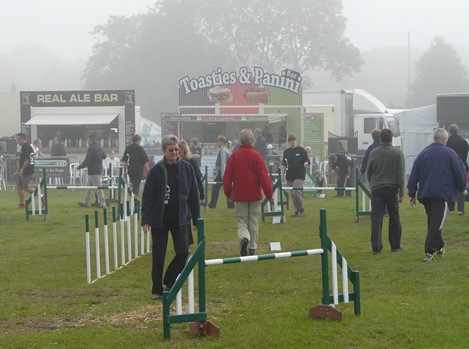
Handlers planning their dog's route round a Dog Agility courseTelling Stories

My first job, once we decided to go Agile was to fill up the Product Backlog. This is our wish-list of everything we would like to go into the product at some point, though not necessarily in release one. It contains a whole bunch of User Stories, which are concise descriptions of pieces of functionality that a user would like to be in the software.

There's no IEEE standard for User Stories, and that's a good thing, because they're meant to be written either by the end users of the software, or at least as if the users of the software had written them. How many IEEE standards do you know that can be implemented by your clients?

But don't panic: just because there's no standard, doesn't mean there's no help. We followed along with Mike Cohn's suggestion of writing User Stories in the form "As [some kind of user], I want [something] so that [I get this benefit]". In some cases we went on to record some high-level details about how the feature might work, but nothing more than a few sentences. User Stories are supposed to be placeholders for conversations that we'll have with our users (or pretend users) nearer the time when we implement the feature. I found the acronym INVEST helpful: User Stories should be Independent, Negotiable, Valuable, Estimable, Small, Testable.

In our Backlog we've got stories like "As a User, I want to be able to reset my password myself if I forget it, so that I don't get shouted at by the Administrator" and "As a Sales Manager, I want to be able to issue new license keys to customers so that I can make more sales and get a bigger bonus".

We'd already started along the well-trodden road of writing functional specifications before we were lured in a different direction by Agile, so creating our Product Backlog was mostly reverse engineering: working out what reason a user would have for needing each piece of functionality that we'd specified. This was a useful exercise in itself, as I could make sure that all the features had a reason for being other than "Wow! That would be cool to program."

Another time, I'd probably build up the Backlog starting with a Project Charter, or a high level overview of what we want to achieve, and then using a mind-mapping technique to break this down into stories.

Playing at Estimating

So now we know what our software's going to look like. Can we get it done by next week, as the boss wants? The first step in answering that is deciding how big the project is, and given our Product Backlog, the best way of measuring that is by sizing the individual stories. In fact, we don't even need to calculate an absolute size, just a measurement that ranks stories against each other.

For this reason we chose to measure size in Story Points. This isn't a unit that ISO can help you with; each team will have its own definition of a Story Point, which should emerge naturally through the course of the project. We could have chosen to measure in Ideal Days (days assumed to be without distractions and interruptions), but we again heeded our virtual mentor's advice that this would slow us down, as we'd start to think too much in terms of individual tasks, rather than how a particular story compares in size with others in the list.

The one problem with using abstract units like Story Points is deciding how big one is. We solved that problem by scanning though the list and picking a story that looked pretty small, and a story that looked fairly large and assigning them a 1 and an 8 respectively. We then measured other stories up against these two.

The other thing we agreed on was a sequence of "buckets" for holding stories of different sizes. For small stories, it's relatively easy to agree whether they differ by 1 or two points of complexity; but as features get bigger, it also become more difficult to estimate precise differences between them. So we created buckets with sizes of 1/2, 1, 2, 3, 5, 8, 13, 20, 40, 60, 80, 100 Story Points each (you might recognise that as a kind of rounded Fibonacci sequence); the agreement was that if a story was felt to be too big to fit in one bucket, then it would have to go in the next one up. A story that was felt to be bigger than an 8, for example, would have to be assigned to the 13 bucket.
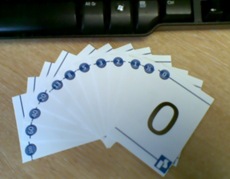
Planning Poker CardsWith that sorted, we were ready to play Planning Poker. I made my own cards (in Word 2007) each showing the size of one of the buckets, one deck for each developer. If you want to play along, but don't like my cards, you can buy professional decks from a couple of sources. The "game" works like this.

We'd pick a Story and discuss it. We had all the people in the room we needed to make sure that questions about the scope of the story got answered. We then had a moment of quiet contemplation to come to our own individual conclusions about the size of the story, and to pick the appropriate card from our hands. Then, on the count of three, everybody placed their card on the table. If everybody had estimated the same, great! we recorded it in our planning tool (VersionOne). If not we talked some more. What made Simon give the story a 5, while Roman gave it 1? Then we had another round of cards - or sometimes just negotiated our way to an agreement.

It felt a little strange at first, but soon became quite natural. It's amazing how liberating it is to work by comparing stories, rather than by hacking them into tasks. We had a backlog of about 130 stories, and it took us just under three sessions of 4 hours each to get through the list - not bad for a first go, I thought.

The final thing we did was to triangulate: to go through all the stories that we'd put in a particular bucket and to make sure that they truly belonged there. Was this story packed so full of work that it was flowing over the top of the bucket? Move it up a bucket. What about that one, huddled down in the corner? That would surely fit in the next bucket down?

Self-adjusting estimates

It was tempting, back when we had a Backlog, but no sizes assigned to the Stories to jump straight to the stage of estimating a duration for the project. But that would have bypassed one of the big benefits of using Story Points: self-adjusting estimates.

Imagine you were going on a journey, and you didn't have Google Maps to help you plan. One way of estimating your journey time might be to look at all the cities (or motorway junctions, or other way-points) that you have to pass and guess at the time needed to travel between each. Now suppose you've set off on your journey and travelling the first few stages has taken longer than expected. The children are in the back of the car chorusing "are we there yet?". "No", you say. "How long?" they ask. And what do you tell them? You'd have to work out the journey times for the remaining way-points and apply some kind of scaling factor in order to give them an answer. But you don't do it that way. Do you?

Instead, before you set off, you calculate the total distance. Then, as you're driving you guess at your average velocity. At any time you can divide the remaining distance by the average velocity to give a fairly good estimate of when you'll arrive, that, because you've used historical data, automatically factors in things like, how overloaded the car is and how bad the traffic has been. If your kids have their lawyers on the phone ready to sue if you don't arrive exactly when stated you can even use your minimum and maximum velocity to give them a range of times between which you might arrive.

And so it is with Story Points. They say nothing about duration: they are simply a measure of size - like using distance as the first step in estimating journey times. Velocity is a measure of how many Story points you complete in an iteration. Estimating the duration of the project is then as simple as dividing remaining Story Points by velocity, and multiplying up by the iteration length.

But we haven't completed an iteration yet, so how do we know what velocity to use? If we had done a similar project using agile we might be able to apply historical values. This might be the case when we're working on version 2 of our product. But for now, we need to go with a forecast of our velocity.

We started by estimating how many productive hours we would have from all developers during an iteration (of three weeks in our case). Industry veterans reckon on up to 6.5 productive hours in an eight-hour working day, though we're still debating this in our company.

Then we picked a small sample of stories of each size from our backlog, trying to include a mix of those that focused on the UI as well as those that mainly concerned the server. Breaking these stories into tasks gave us an indication as to how long each story would actually take. We made sure to include every kind of task that would be needed to say that the story was really and truly done including design, documentation, coding, and testing of all flavours. Finally we imagined picking a combination of stories of different sizes so that we could finish each of them in the time we had for an iteration. Adding up the Story Points the stories in the combination gave us a point estimate of velocity.

We would have been foolish if we'd gone forward using just that estimate. So we took advice from Steve McConnell's Cone of Uncertainty (which shows how far out an estimate is likely to be at each stage in a project) and applied a multiplier to our point estimate of velocity to get a minimum and maximum. Since this was getting too much for our little brains to handle, we fired up Excel, and made a pretty spreadsheet of the minimum, expected and maximum number of iterations that we predict the project will take.

Unexpected Benefit

The final estimate was far larger than we'd expected (who is surprised?). So we needed to par back the scope. If we were basing estimates on a functional specification we could have cut whole features, but it would have been quite difficult to cut parts of a dialog box. But since we were using Stories, we were able to remove them from the release plan, then, simply by subtracting their Story Point estimate from the total, have an easy way to see the impact on the overall project.

At the end of all that, I'm happy. My feeling is that it is the most robust estimate and plan of any I've produced, and for once, we'll have a trivial way of reliably updating the plan as we see how we're getting on.

Thursday, 2 October 2008

What Daddy does at work - the family's view

My wife overheard somebody asking our three-year old daughter about what Daddy does at work.

"He eats his lunch, and fixes bugs", was her reply.

Mind you, my wife's view of my work isn't much more exalted. For a long time she was under the impression that I worked with a product called Seagull Server!

Thursday, 25 September 2008

Hooking up Commands to Events in WPF

A question came up on the Stack Overflow website a little while back about how to execute a command when an event is raised. The questioner, Brad Leach, is using a Model-View-ViewModel architecture for WPF (of which I'm also a fan) and wanted to know how he could hook up a Command on his ViewModel to the TextChanged event of a TextBox in his View. In his case, it turned out that he got what he needed by Data-binding the Text property of the TextBox to a property on the ViewModel; in my answer to his question I outlined an approach that can be used in other cases where properties are not involved, so that the data-binding trick doesn't work. Now I've gone one better, and created a a utility class, EventBehaviourFactory, that makes it easy to hook up any WPF event to a Command using Data Binding.

Using EventBehaviourFactory you define new attached properties, one for each kind of event you want to hook a Command to. Then you set the value of the property on a WPF element, specifying the command that you want to be executed. When the event is raised, the command will be executed, with the EventArgs being passed through as the command parameter.

Using the EventBehaviourFactory

First of all, you need to include my EventBehaviourFactory class in your project. You can either copy the code from the bottom of this post, or get the whole project from MSDN Code Gallery.

Then you need to define a static class to hold a new Attached property that you will attach to an object to specify which command to execute when a particular event is raised. You need to call EventBehaviourFactory.CreateCommandExecutionEventBehaviour and pass it the routed event that you want to handle - note you must pass the static field holding the RoutedEvent object (usually the same name as the event itself, but ending in "Event") not the event property. Just as when creating a standard attached property, you also need to pass the name of the property as a string (this should match the name of the static field that you store the DependencyProperty in), and the type of the class that is defining the property.

As an example, I'll create a property that will execute a Command when the TextChanged event of a TextBox is raised:

using System.Windows;
using System.Windows.Controls;
using System.Windows.Input;

namespace FunctionalFun.Wpf
{
    public static class TextBoxBehaviour
    {
        public static readonly DependencyProperty TextChangedCommand = EventBehaviourFactory.CreateCommandExecutionEventBehaviour(TextBox.TextChangedEvent, "TextChangedCommand", typeof (TextBoxBehaviour));
        
        public static void SetTextChangedCommand(DependencyObject o, ICommand value)
        {
            o.SetValue(TextChangedCommand, value);
        }

        public static ICommand GetTextChangedCommand(DependencyObject o)
        {
            return o.GetValue(TextChangedCommand) as ICommand;
        }
    }
}

The important part is in line 9, where I'm calling EventBehaviourFactory. This is the part that creates the attached behaviour. In the download, I've included a Resharper template to mostly automate this step. To make use of the property you just set a value for it on the object whose events interest you, binding it to the appropriate command. Here's an example:

<Window x:Class="FunctionalFun.Wpf.Window1"
    xmlns="http://schemas.microsoft.com/winfx/2006/xaml/presentation"
    xmlns:x="http://schemas.microsoft.com/winfx/2006/xaml"
    xmlns:ff="clr-namespace:FunctionalFun.Wpf"
    Title="Window1" Height="300" Width="300">
    <Window.DataContext>
        <ff:ViewModel/>
    </Window.DataContext>
    <Grid>
        <Grid.RowDefinitions>
            <RowDefinition/>
        </Grid.RowDefinitions>
        <TextBox ff:TextBoxBehaviour.TextChangedCommand="{Binding TextChanged}"/>
    </Grid>
</Window>

The ViewModel that this Window uses (initialised in line 7) is:

using System;
using System.Collections.Generic;
using System.Linq;
using System.Text;
using System.Windows;
using System.Windows.Input;

namespace FunctionalFun.Wpf
{
    public class ViewModel
    {
        public ICommand TextChanged
        {
            get
            {
				//  this is very lazy: I should cache the command!
                return new TextChangedCommand();
            }
        }

        private class TextChangedCommand : ICommand
        {
            public event EventHandler CanExecuteChanged;
            public void Execute(object parameter)
            {
                MessageBox.Show("Text Changed");
            }

            public bool CanExecute(object parameter)
            {
                return true;
            }
        }
    }
}

How EventBehaviourFactory works

EventBehaviourFactory uses the attached behaviour technique. Basically, it creates new Attached properties, one for each kind of event that you ask it to handle. The attached property lets you specify which command you want to be executed when the event is raised. The attached property is configured with a PropertyChanged handler (wrapped up in the private ExecuteCommandOnRoutedEventBehaviour class) that starts listening to the appropriate event on an object whenever the attached property is set on the object - and stops listening if the attached property is set to null.

As you read the code below, you might wonder why I have factored out the ExecuteCommandBehaviour class. That was because I was trying to include a way of handling non-routed events in this Factory as well. I ran into a couple of problems, however, so I took it. I'm not sure how useful it would have been anyway, because I couldn't find terribly many non-routed events in WPF. If this would be useful to anybody, let me know, and I'll have another stab at it.

The whole project is available on MSDN Code Gallery. There are a couple of example properties in there, and even a trio of unit tests. As a bonus, you get a Resharper template

using System;
using System.Windows;
using System.Windows.Input;

namespace FunctionalFun.Wpf
{
    public static class EventBehaviourFactory
    {
        public static DependencyProperty CreateCommandExecutionEventBehaviour(RoutedEvent routedEvent, string propertyName, Type ownerType)
        {
            DependencyProperty property = DependencyProperty.RegisterAttached(propertyName, typeof (ICommand), ownerType,
                                                               new PropertyMetadata(null, 
                                                                   new ExecuteCommandOnRoutedEventBehaviour(routedEvent).PropertyChangedHandler));

            return property;
        }

        /// <summary>
        /// An internal class to handle listening for an event and executing a command,
        /// when a Command is assigned to a particular DependencyProperty
        /// </summary>
        private class ExecuteCommandOnRoutedEventBehaviour : ExecuteCommandBehaviour
        {
            private readonly RoutedEvent _routedEvent;

            public ExecuteCommandOnRoutedEventBehaviour(RoutedEvent routedEvent)
            {
                _routedEvent = routedEvent;
            }

            /// <summary>
            /// Handles attaching or Detaching Event handlers when a Command is assigned or unassigned
            /// </summary>
            /// <param name="sender"></param>
            /// <param name="oldValue"></param>
            /// <param name="newValue"></param>
            protected override void AdjustEventHandlers(DependencyObject sender, object oldValue, object newValue)
            {
                UIElement element = sender as UIElement;
                if (element == null) { return; }

                if (oldValue != null)
                {
                    element.RemoveHandler(_routedEvent, new RoutedEventHandler(EventHandler));
                }

                if (newValue != null)
                {
                    element.AddHandler(_routedEvent, new RoutedEventHandler(EventHandler));
                }
            }

            protected void EventHandler(object sender, RoutedEventArgs e)
            {
                HandleEvent(sender, e);
            }
        }

        internal abstract class ExecuteCommandBehaviour
        {
            protected DependencyProperty _property;
            protected abstract void AdjustEventHandlers(DependencyObject sender, object oldValue, object newValue);

            protected void HandleEvent(object sender, EventArgs e)
            {
                DependencyObject dp = sender as DependencyObject;
                if (dp == null)
                {
                    return;
                }

                ICommand command = dp.GetValue(_property) as ICommand;

                if (command == null)
                {
                    return;
                }

                if (command.CanExecute(e))
                {
                    command.Execute(e);
                }
            }

            /// <summary>
            /// Listens for a change in the DependencyProperty that we are assigned to, and
            /// adjusts the EventHandlers accordingly
            /// </summary>
            /// <param name="sender"></param>
            /// <param name="e"></param>
            public void PropertyChangedHandler(DependencyObject sender, DependencyPropertyChangedEventArgs e)
            {
                // the first time the property changes,
                // make a note of which property we are supposed
                // to be watching
                if (_property == null)
                {
                    _property = e.Property;
                }

                object oldValue = e.OldValue;
                object newValue = e.NewValue;

                AdjustEventHandlers(sender, oldValue, newValue);
            }
        }
    } 
}